After logging into 360iQ, you will likely be redirected to your Dashboard. If you want to view the Dashboard and are not automatically redirected, take the following steps:
- Log into 360iQ.

- If you are not automatically redirected to the Dashboard, click the Dashboard tile.

By default, you will see the Enterprise Dashboard. If you have created any other dashboards, you will see them as tabs at the top of the screen. The Dashboard is broken down into several different sections as follows:
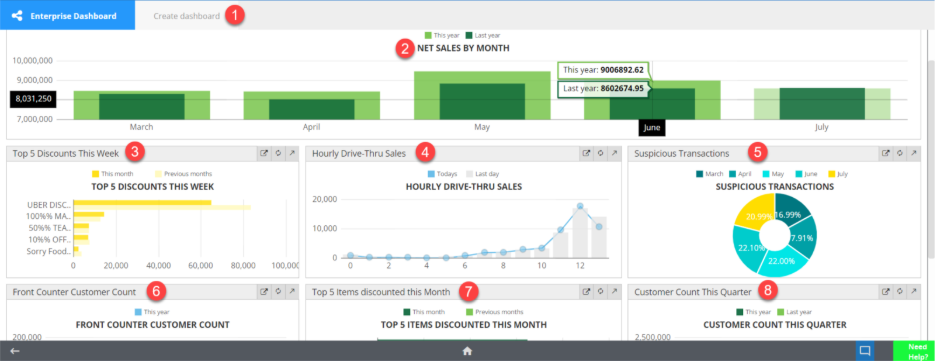
- Create Dashboard
- Net Sales by Month
- Top 5 Discounts This Week
- Hourly Drive-Thru Sales
- Suspicious Transactions
- Front Counter Customer Count
- Top 5 Items discounted this Month
- Customer Count This Quarter
For additional information or questions please contact DTiQ Support at support@dtiq.com or your Customer Experience Team at csr@dtiq.com.