
The Favorites function enables you to set up cameras view from multiple locations in one window, allowing for easier monitoring of particular areas in your locations, such as back doors, offices, and lobbies.
Content
In this guide, we will cover:
How to Add a New Favorite View
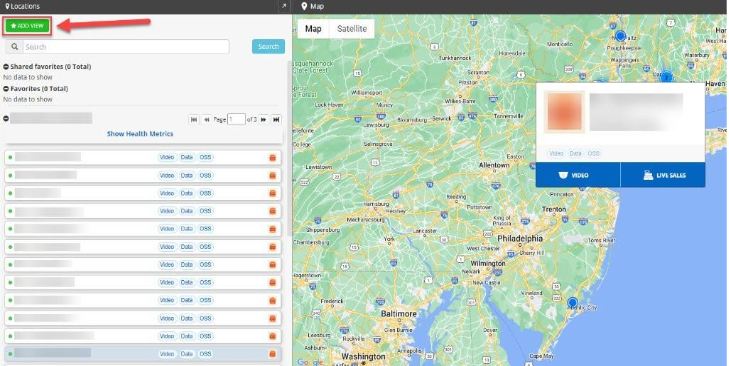
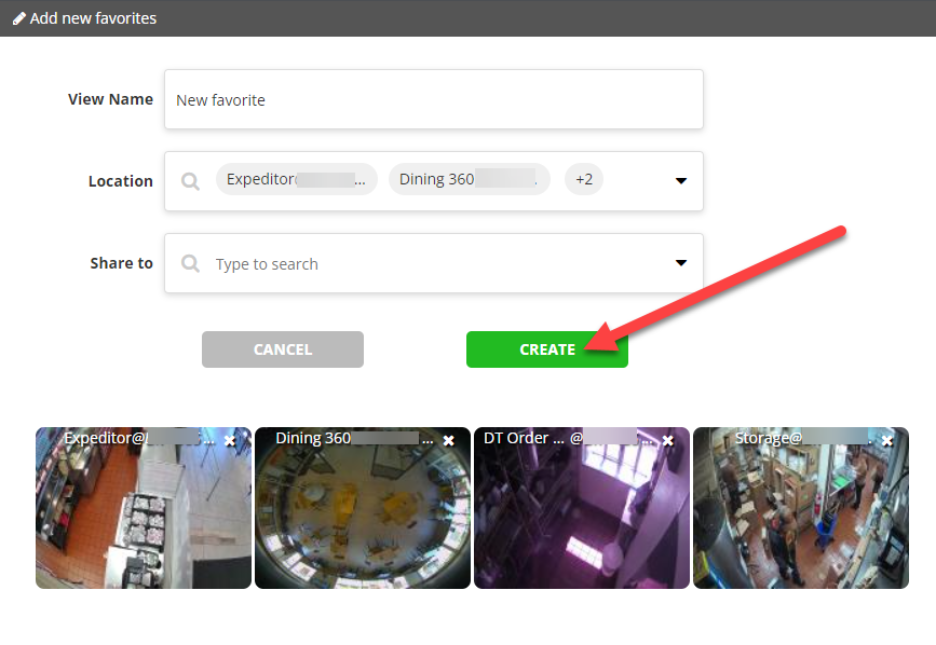
To add a new favorite view, select the green ADD VIEW button. A new window will pop up. First, name the view, and then select the desired cameras using the Location search box. You can optionally add users to share the view with using the Share to box. Click the CREATE button to save the view.
How to Edit, Share, or Delete a Favorite
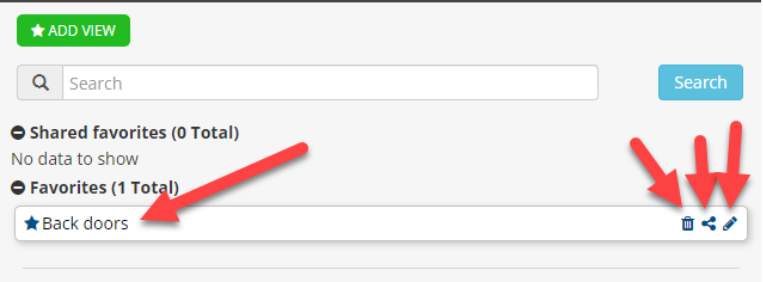
To delete, share, or edit Favorites, simply click on the corresponding blue icons on the right-hand side of your Favorite.
For additional information or questions please contact DTiQ Support at support@dtiq.com or your Customer Experience Team at csr@dtiq.com.