
Note: DTiQ’s Entry Count feature requires an active Entry Count Subscription.
The term Entry Count refers to the number of people who have entered an establishment in a given period. As part of your Video Analytics, DTiQ offers comprehensive Entry Count reports.
Content
In this guide, you will learn about these topics:
How to Access Entry Count
To access Entry Count, navigate to the Video Analytics tile via the Home Screen or Quick Bar. Then, click Entry Count.
How to Navigate the Entry Count Dashboard
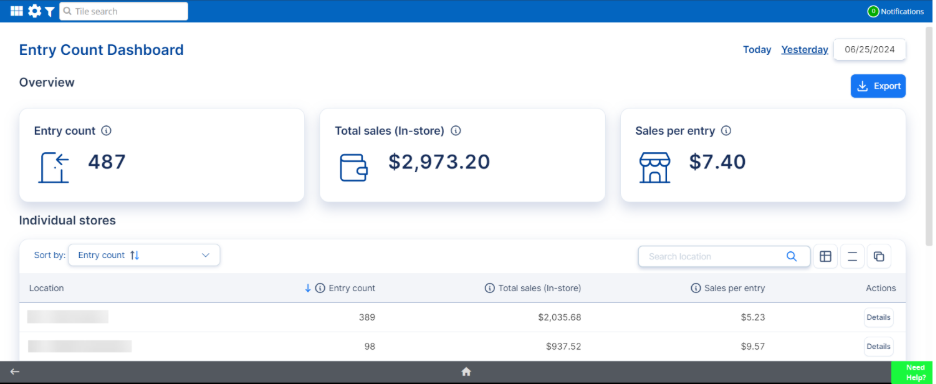
Inside the Entry Count dashboard, you’ll see an Overview as well as an entry count breakdown for Individual stores.
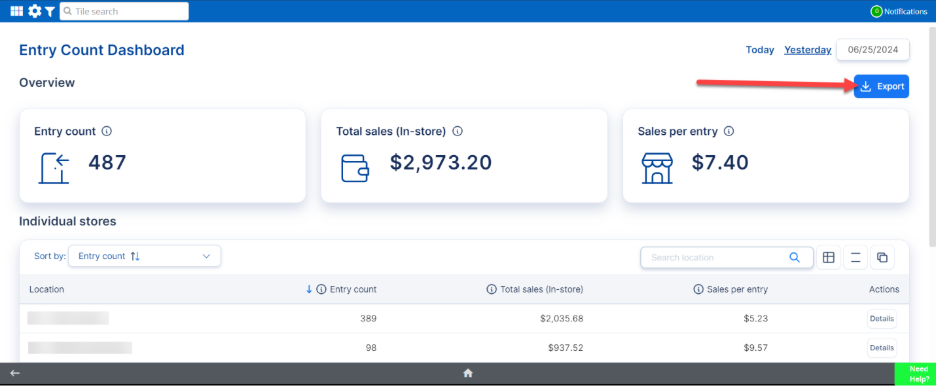
Under the Overview header, you’ll see the organization’s total Entry count along with Total sales (In-store). Click the blue Export button on the right side of the screen to download this data.
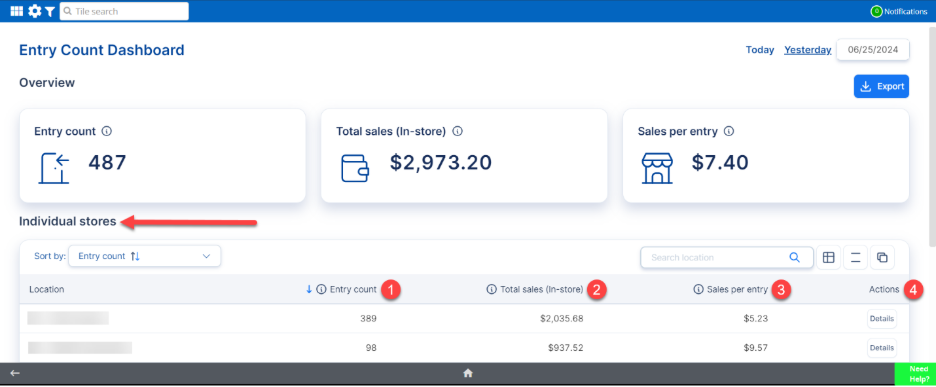
Scroll down to view information for your Individual stores. In the Individual stores section, you can review the following:
- Entry count
- Total sales (In-store)
- Sales per entry
- Actions
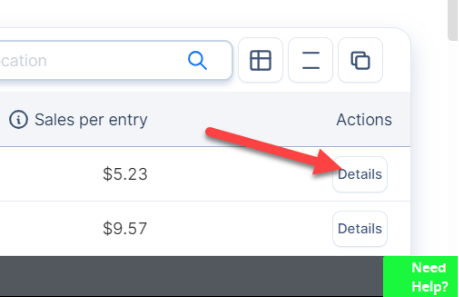
Click the Details button to drill down into a particular store’s analytics.
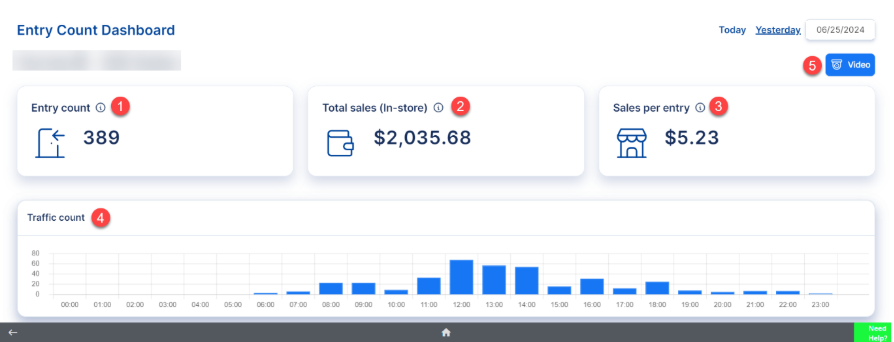
In this drill-down view for each Individual store, as in the overview, you will find the following:
- Entry count
- Total sales (In-store)
- Sales per entry
- Traffic count
- Video
For additional information or questions please contact DTiQ Support at support@dtiq.com or your Customer Experience Team at csr@dtiq.com.